Before writing a line of a replacement, I wanted to know what I’d be replacing. Not from the outside, like the parent portal, but from the inside: what teachers, office staff, counsellors and districts actually have to do in MyEducation BC every day.
What we read
Conveniently, MyEducation BC documents itself, at length. A parent account can see the Page Directory, and the Page Directory links to the guides and training material the province gives to school staff. So we collected all of it, and read it:
Add the MyEducation BC Standards Manual, the Ministry’s data specifications for graduation and enrolment reporting, and whatever teachers and parents have said about it in public. Out of all that came a register of 735 things a student information system in BC has to do. Seventy-seven of them are the law. Fifty are the Ministry’s interfaces. Three hundred and sixty-three are the real work of running schools.
And two hundred of them are workarounds for MyEducation BC itself.
That last number is the one that stuck with me. More than a quarter of the requirements we found exist only because of how the current system works. Every one of them is a procedure someone has to learn, remember and do correctly. That’s the tax from Chapter 1, itemised.
Facts stored twice, then repaired
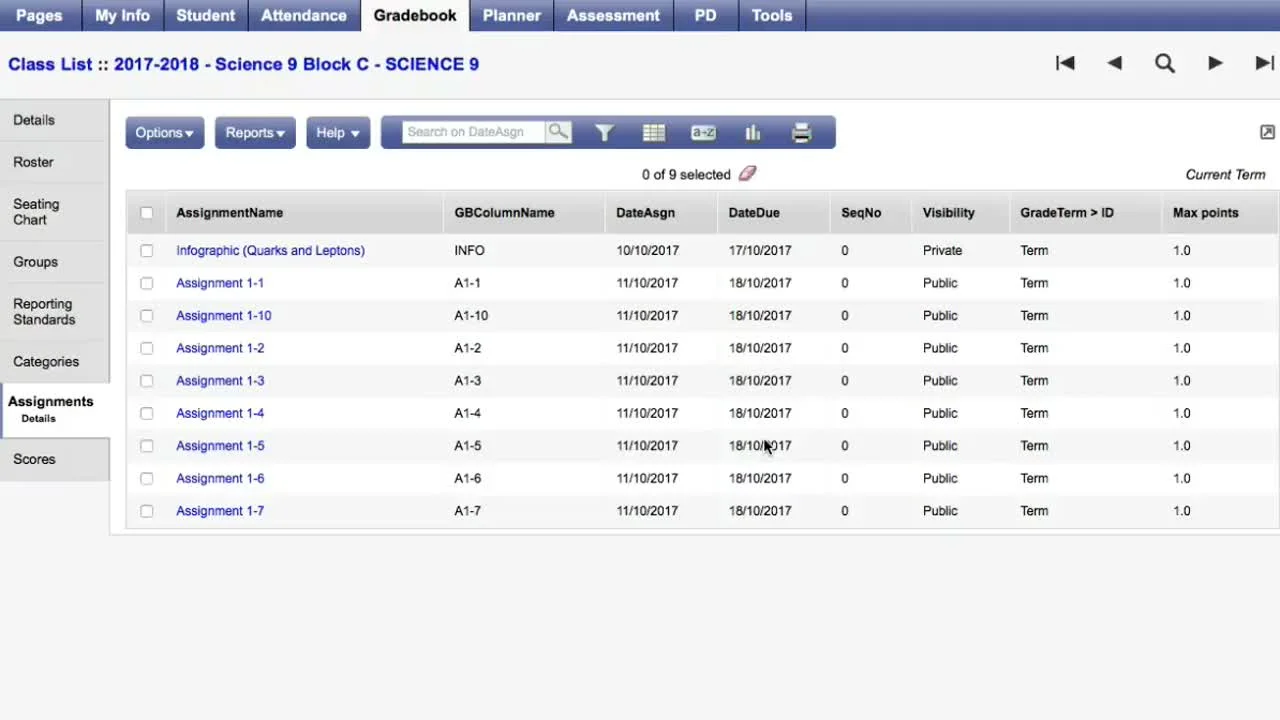
The deepest problem is one you never see on a screen. MyEducation BC stores many facts in more than one place, and then relies on people to keep the copies in step. The guides name at least a dozen procedures that exist to repair the copies: Synchronize Schedule (to be run “only with Level 2 support”), Recalculate Enrollment Totals, tallies that need updating, three separate “Remedy” procedures, and jobs that run overnight to bring one table into line with another.
Marks are the clearest example. A teacher’s marks live in the gradebook. The transcript lives somewhere else. The two are joined by “posting”, and the guides warn that posting copies blank marks too, so a correction made in the office can quietly disappear unless someone runs another procedure afterwards. Before graduation data goes to the Ministry, staff hunt for stray transcript rows by hand.
The end of the year
MyEducation BC doesn’t store a student’s grade. It works it out from the student’s expected year of graduation. That sounds tidy until the school year ends, and every student in the province has to be moved forward at once.
That’s the End of Year Rollover. It’s about twenty manual steps for each school, spread from February to August, and then a single job that runs for every district in the province together, during which the system is unavailable for about a week. The guides note that one student record in the wrong state, an active student with a future entry date, can stop the rollover from running for the entire province.
Holding a student back a year means changing their year of graduation. Sixty districts, one switch.
The telephone
Students move between schools and districts all the time, and some are enrolled in two places at once. Every one of those cases in the guides comes down to the same instruction: phone the other school. The other school is expected to release the student within a business day. Students marked confidential don’t appear in the search, so the receiving school sometimes creates a duplicate instead.
Losing work
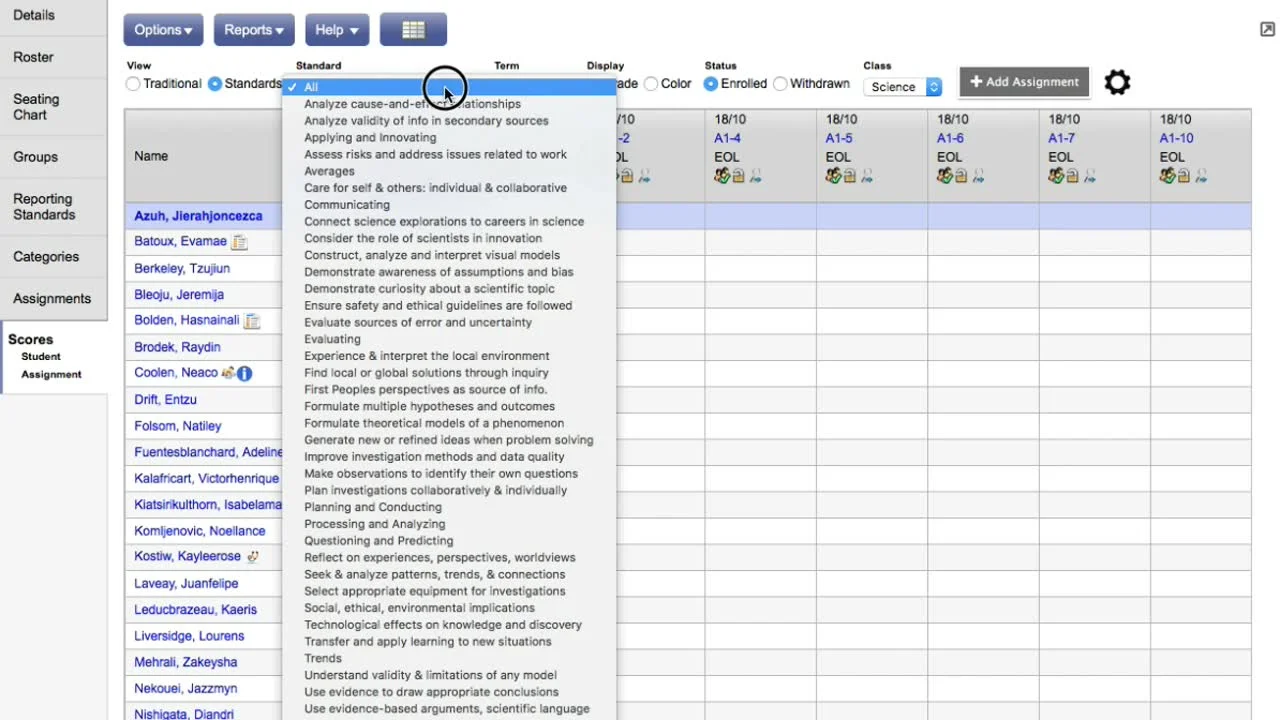
The gradebook saves one cell at a time. Type quickly, fill a column down, or have it open in two windows, and marks can be lost. Comments longer than the limit are cut off without a warning. Deleting a mark so a student can resubmit deletes the feedback with it. And teachers are advised not to choose yellow as a colour for a rating, because yellow is what an unsaved cell looks like.
Privacy
Individual Education Plans hold some of the most sensitive information a school keeps about a child. In MyEducation BC, any clerk with school-level access can read every IEP in the school. In one of the province’s own recorded training sessions, the presenter confirmed this when asked, and called it a privacy concern. Notes marked “private” can be read by administrators. In conduct records, a victim’s name sits on the record of the student who hurt them.
Training as the safety net
When software is hard to use correctly, training becomes the thing that keeps it working. MyEducation BC leans on training heavily, and it shows where training fails. In one case recounted in the recorded sessions, a change to how graduates are marked was taught only in a support session. One school’s trainer missed it, and that school’s entire Grade 12 class was rolled over into another year of high school.
The training itself has the same problems as the software. One session opened with the wrong slide deck. A session given in August 2026 used screenshots from before 2023, and called a Ministry system by a name it hadn’t had in years. Asked how averages are calculated, a presenter searched the help live, and found six different methods.
This isn’t a criticism of the trainers, who are doing their best with what they’ve been given. It’s what happens when a system needs a person standing next to it to be used safely.
Doing things to many records at once
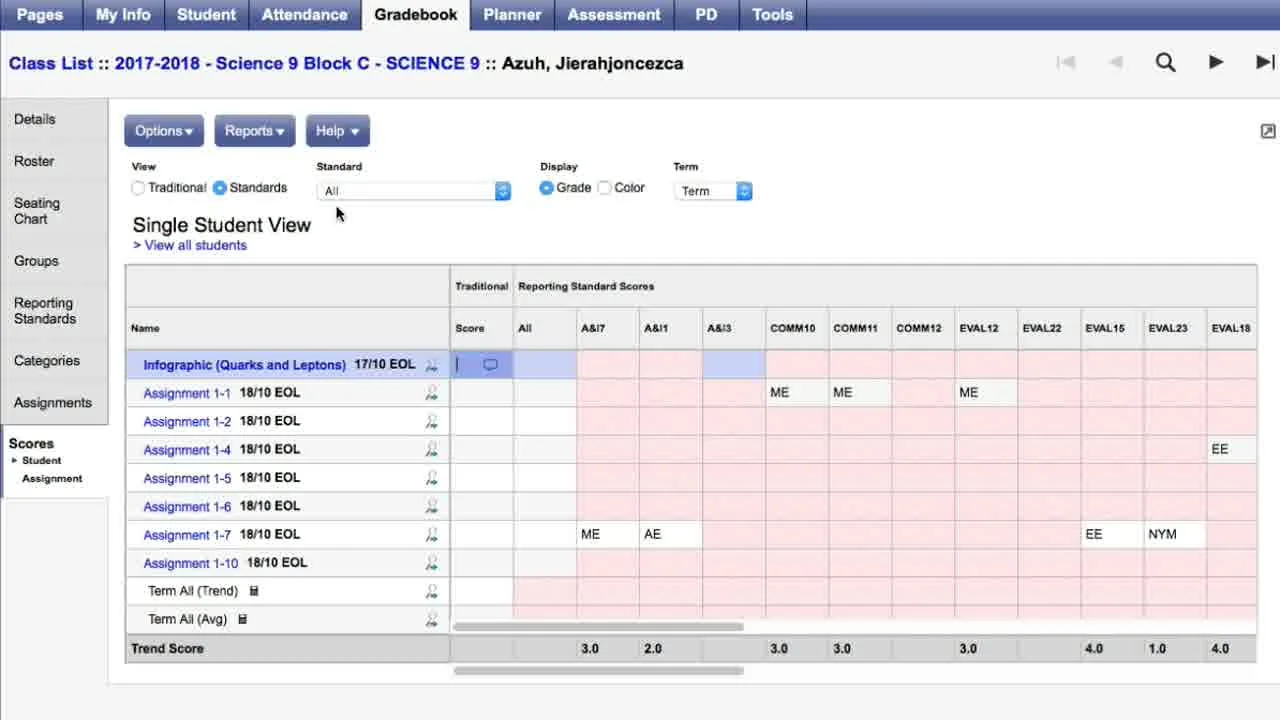
Lists show 35 records to a page. “Select all” selects the page, not the list. And bulk updates run on whatever is selected, unless you remember to press “Show Selected” first, in which case they run on everyone. One click between updating 35 students and updating all of them.
The money
MyEducation BC replaced an earlier system, BCeSIS, which the province abandoned in 2011 after a review. Reports put what BCeSIS cost at somewhere between $80 million and $97 million.
The contract for its replacement was announced in November 2013: twelve years, at “up to $9.4 million per annum”. MyEducation BC went live in 2015, to complaints from teachers about slow logins, missing class lists and time-outs, and one school postponed its report cards. Twelve years from 2013 is roughly now. I haven’t found a public renewal or a new tender.
The one that got away
This isn’t the first time someone in BC has asked how hard it could be.
In 2011, as BCeSIS was being abandoned, the Saanich school district started building its own student information system. It was called openStudent: open source, owned by the BC education community rather than a vendor, and built by a small team of the district’s own developers working out of converted classrooms in a former elementary school. By early 2014 it was being piloted in schools around the province, and districts expected it to cost them a few dollars per student each year, against about $20 for MyEducation BC.
Then, in March 2014, the district was told that openStudent would have to integrate with the BC Services Card, the province’s new identity card, and that complying would likely cost millions. The project had already spent about $1.5 million. The school board shut it down, and eleven people lost their jobs.
A few months later, documents the district obtained under freedom of information showed that MyEducation BC itself had been given a temporary exemption from the very same requirement, granted in October 2013 and running to February 2018. The board said Saanich had never been offered one. The Ministry denied misleading anyone: it said it had sought the exemption because the card wasn’t fully in place yet, and that Saanich “just had to ask”. (Times Colonist: “B.C. misled Saanich school board: documents”; and on the shutdown, The Tyee.)
Same requirement. One exemption. Nobody thought to ask on Saanich’s behalf.
The Ministry’s own work
To be fair, and I want to be: the Ministry of Education and Child Care has been doing a lot of good, modern work around the edges. It publishes more than a hundred repositories of its own software as open source. Since 2021 it has rebuilt its data exchange, its school registry, its enrolment reporting and its course registry, and it is replacing the system that tracks graduation.
What it hasn’t changed is the middle. Every school in the province still keeps its students in one system, and districts still send the Ministry files, not data.
Who pays
None of this is the fault of the people who use MyEducation BC, train others on it, or keep it running. If anything, the guides are a record of how much skill and patience it takes to make it work: thousands of pages of careful instructions for avoiding the system’s sharp edges.
But that’s exactly the problem. Two hundred workarounds. A week offline every summer. A phone call for every student who moves. Marks that can vanish. Every one is a cost someone pays, again and again, so that the software didn’t have to be built properly once.
So: what would it look like to build it properly once?